
Microsoft 70-413日本語 Actual Free Exam Questions & Community Discussion
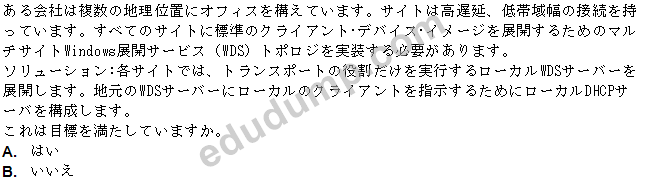
Correct Answer: B
Vote an answer
Explanation: Only visible for EduDump members. You can sign-up / login (it's free).
DRAG DROP
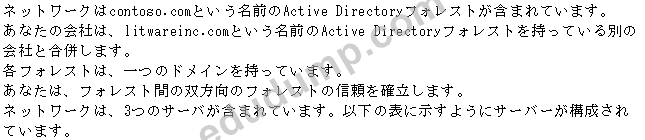

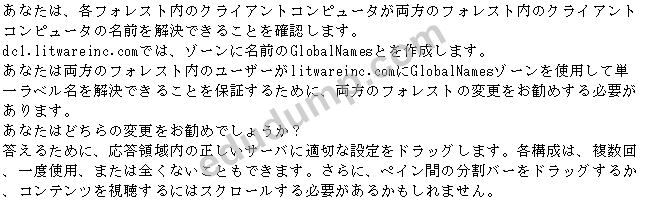

Correct Answer:

Explanation:
Deploying a GlobalNames zone
The specific steps for deploying a GlobalNames zone can vary somewhat, depending on the AD DS topology of your network.
Step 1: Create the GlobalNames zone
Step 2(Box 1, box 3) : Enable GlobalNames zone support
The GlobalNames zone is not available to provide name resolution until GlobalNames zone support is explicitly enabled by using the following command on every authoritative DNS server in the forest:
dnscmd <ServerName> /config /enableglobalnamessupport 1
Step 3:Replicate the GlobalNames zone
Step 4: Populate the GlobalNames zone
Step 5 (box 2) : Publish the location of the GlobalNames zone in other forests If you want DNS clients in other forests to use the GlobalNames zone for resolving names, add service location (SRV) resource records to the forest-wide DNS application partition, using the service name
_globalnames._msdcs and specifying the FQDN of the DNS server that hosts the GlobalNames zone.
Reference: Deploying a GlobalNames Zone
http://technet.microsoft.com/en-us/library/cc731744.aspx

---
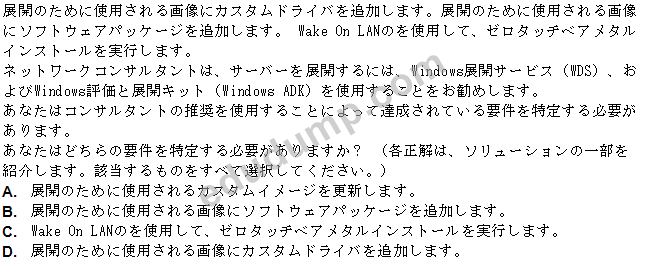
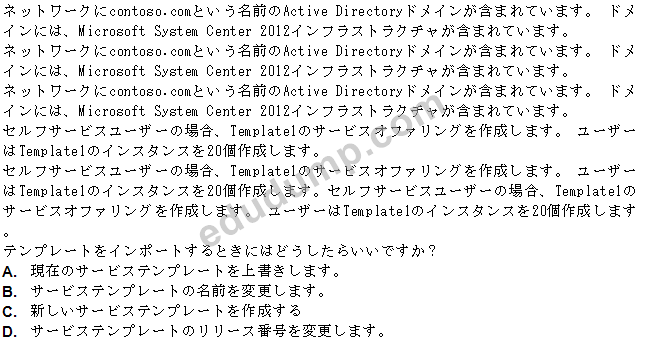
Correct Answer: B,D
Vote an answer
Explanation: Only visible for EduDump members. You can sign-up / login (it's free).

Correct Answer: D
Vote an answer
Explanation: Only visible for EduDump members. You can sign-up / login (it's free).

Correct Answer: B
Vote an answer
Explanation: Only visible for EduDump members. You can sign-up / login (it's free).
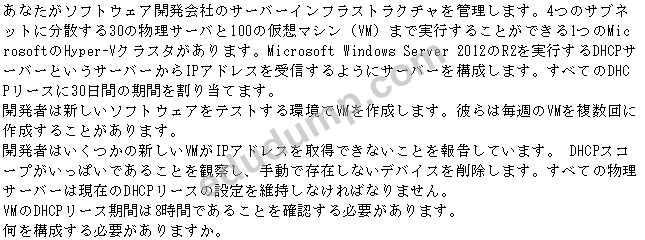
Correct Answer: C
Vote an answer
Explanation: Only visible for EduDump members. You can sign-up / login (it's free).
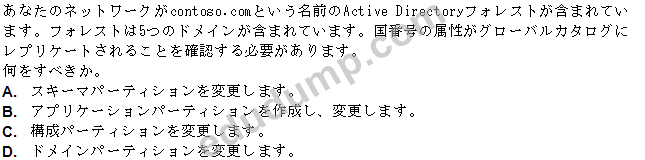
Correct Answer: D
Vote an answer
Explanation: Only visible for EduDump members. You can sign-up / login (it's free).
DRAG DROP


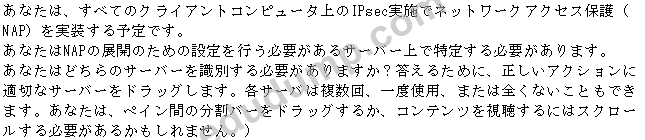

Correct Answer:

Box 1: Server 3 (Network Policy Server)
We use a Network Policy Server, Server3, to configure health policies.
Box 2: Server 1
* Server1 (Domain Controller)
'You can configure NAP clients through Group Policy or local computer policy. This feature is installed automatically on a domain controller running Windows Server 2008 and Windows Server 2008 R2. This feature can be installed on a member server running Windows Server 2008 or Windows Server 2008 R2.
You can use Group Policy to configure NAP settings on NAP clients running Windows Server 2008, Windows Server 2008 R2, Windows Vista, Windows 7, and Windows XP SP3.
Box 3: Server 3 (Network Policy Server)
You configure remediation server groups on the Network Policy Server and reference a particular remediation server group as part of the network policy for non-compliant computers
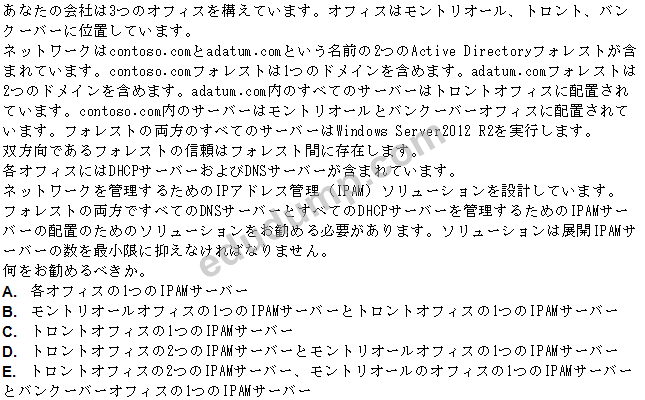
Correct Answer: A
Vote an answer
Explanation: Only visible for EduDump members. You can sign-up / login (it's free).
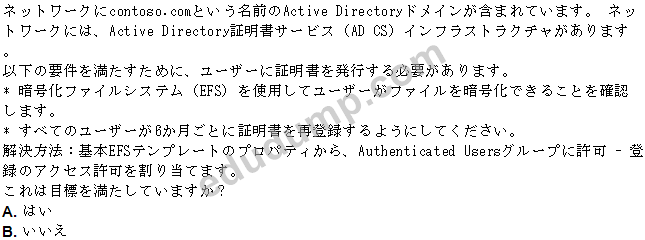
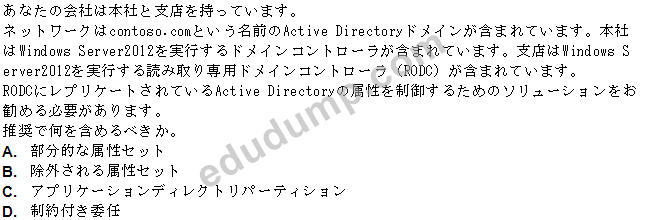
Correct Answer: A
Vote an answer
Explanation: Only visible for EduDump members. You can sign-up / login (it's free).
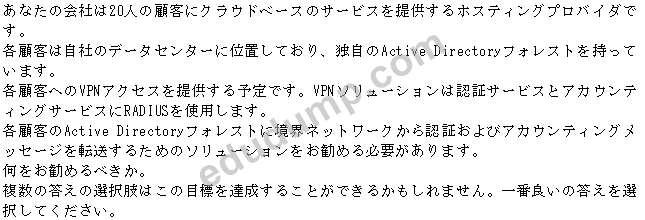

0
0
0
10